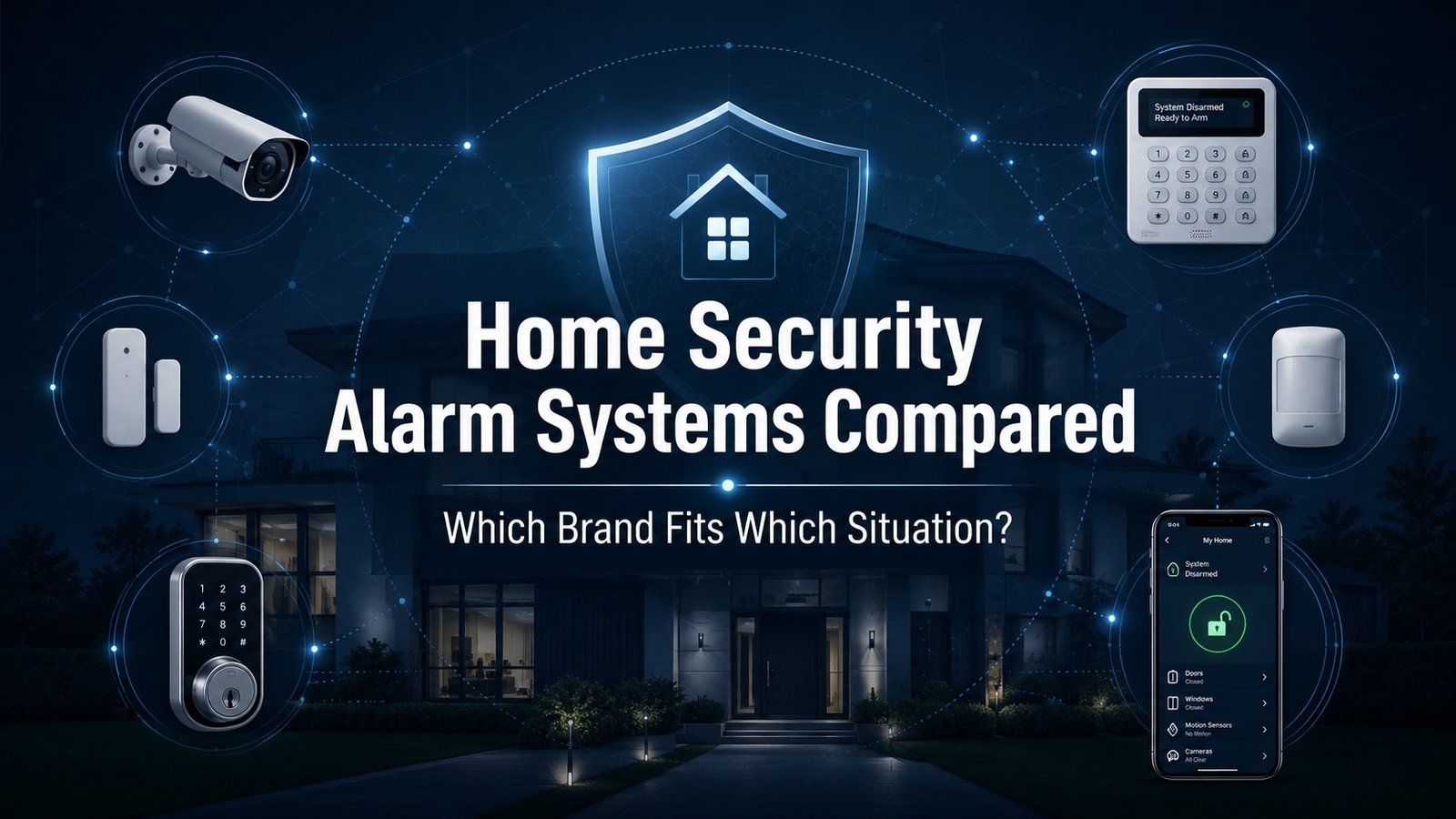
Home Security Alarm Systems Compared: A Practical Buying Assessment
Updated July 2026
Home security alarm systems are often sold as if one brand is the obvious answer for every household. That is not how residential security works.
The best home security system depends on the property, the occupants, the local response environment, the buyer’s budget, and the level of control the user wants after installation. A renter in an apartment does not need the same alarm system as a homeowner with detached buildings, outdoor cameras, smart locks, and frequent travel. A camera-heavy household does not need the same setup as someone who only wants entry sensors and professional monitoring.
This assessment compares major home security companies using a fit-based framework. It does not rank them from best to worst. Instead, it explains where each system is strongest, where it has tradeoffs, and which situation it is best suited for.
Executive Summary
A home security system should be evaluated as a small security architecture, not just as a product bundle.
At minimum, a useful system should answer five questions:
- How does the system detect intrusion?
- How does it alert the user or monitoring center?
- What happens if Wi-Fi, power, or internet service fails?
- Who responds to the alarm?
- How much does the system cost after equipment, monitoring, subscriptions, cameras, storage, and add-ons?
For professionally installed systems, ADT and Vivint remain the strongest fits for homeowners who want a managed experience. They are better for buyers who value professional installation, 24/7 professional monitoring, equipment integration, and a more comprehensive home security industry model.
For DIY home security systems, SimpliSafe, Abode, Cove, Frontpoint, and Ring Alarm are better fits. These systems appeal to renters, budget-conscious homeowners, and buyers who want more control over installation and monitoring.
For camera-heavy setups, Ring, Arlo, and Eufy deserve special attention. These brands are often less about a traditional alarm panel and more about indoor and outdoor cameras, video alerts, app control, and subscription-based storage or local storage.
The practical answer is simple: do not ask, “What is the best security system?” Ask, “Which system fits this property and this user?”
Summary Table: Which System Fits Which Situation?
| Situation | Strong Fits | Why |
|---|---|---|
| Professionally installed systems | ADT, Vivint | Better for homeowners who want full-service setup, professional monitoring, cameras, sensors, and smart home configuration. |
| Budget DIY home security system | SimpliSafe, Cove, Frontpoint | Good for users who want basic alarm coverage without a heavy installation process. |
| Renters and apartments | SimpliSafe, Abode, Cove, Ring Alarm | Wireless equipment, DIY installation, and easier move-out flexibility. |
| Smart home integration | Vivint, Abode, Ring Alarm | Stronger fit for home automation, smart locks, cameras, thermostats, Alexa, Google Home, Apple HomeKit, Zigbee, or Z-Wave. |
| Camera-heavy security | Ring, Arlo, Eufy | Best when indoor camera, outdoor camera, doorbell camera, and video history matter most. |
| Rural homes or outage-prone areas | Ring Alarm Pro, SimpliSafe, Abode, Cove | Cellular backup, battery backup, or backup internet may matter more than cosmetic hardware. |
| No long-term contract preference | SimpliSafe, Abode, Cove, Ring, Eufy | Better for users who dislike multi-year monitoring commitments. |
| Premium “enterprise-level” home alarm systems | ADT, Vivint | Higher cost, but stronger managed-service feel and professional installation path. |
| Local storage / privacy-sensitive camera users | Eufy, some Arlo setups, Ring Alarm Pro | Better for buyers who want more control over video evidence and storage location. |
| Traditional alarm-company model | ADT, Brinks Home, Frontpoint | Better for users who want a familiar professional monitoring structure. |
How Home Security Alarm Systems Work
A modern alarm system usually includes a hub or base station, door sensors, window sensors, motion sensors, keypad access, siren capability, and a mobile app. Many systems also include security cameras, indoor camera options, outdoor cameras, doorbell cameras, smoke detectors, carbon monoxide detectors, water sensors, smart locks, and home automation devices.
The basic sequence is straightforward.
A sensor detects activity. The system checks whether it is armed. If the system is armed, it triggers an alarm event. The user receives an app alert, the siren activates, and the event may route to a professional monitoring center if the user has a monitoring plan.
The important part is what happens next.
A self-monitored system depends on the user seeing the alert and taking action. A professionally monitored system sends the event to a monitoring center that can contact the user and request emergency dispatch if needed.
The system’s reliability depends on communications. A home security alarm system that only works when Wi-Fi is online is weaker than one with cellular backup or backup internet. Battery backup also matters. So does the ability to arm and disarm the system quickly without confusing other household members.
Professional Monitoring vs. Self-Monitoring
Professional monitoring is the classic alarm model.
When an alarm event occurs, a monitoring center receives the signal. A dispatcher or agent reviews the event, follows the account protocol, contacts the homeowner, and may request police, fire, or medical response.
This is useful for people who travel, sleep heavily, manage more than one property, or do not want every alert to depend on their phone being charged and nearby.
Professional monitoring is strongest when:
- The home is often empty.
- The occupants travel.
- The property has higher loss exposure.
- There are vulnerable residents.
- The buyer wants potential emergency dispatch.
- The user wants less personal responsibility during an alarm event.
Self-monitoring is different.
With self-monitoring, the system sends alerts to the user. The user decides what to do. This can work well for apartments, lower-risk homes, camera-first households, and buyers who primarily want awareness rather than dispatch.
Self-monitoring is strongest when:
- The user wants to avoid monthly monitoring cost.
- The property is low risk.
- The user wants privacy and direct control.
- The buyer mainly wants camera alerts.
- The household does not want a central station involved.
- The user is comfortable responding to alerts personally.
Neither model is automatically better. Professional monitoring is a service decision. Self-monitoring is a control decision.
DIY vs. Professional Installation
DIY installation has improved a lot.
Most DIY security systems now use wireless sensors, guided app setup, peel-and-stick mounts, and pre-configured devices. A typical DIY system can cover doors, windows, motion areas, and a few cameras without drilling or running wire.
That makes DIY installation a strong fit for renters, apartments, townhomes, smaller homes, and budget-conscious buyers.
DIY installation works best when:
- The system is simple.
- The home is not unusually large.
- The user is comfortable with apps.
- The buyer wants to avoid installation appointments.
- The household may move.
- The user wants to add security equipment over time.
Professional installation still has a role.
It is stronger when the buyer wants a complete system installed correctly the first time. It also helps when the system includes multiple outdoor cameras, smart locks, thermostats, garage controls, glass break sensors, and home automation routines.
Professional installation works best when:
- The home is larger.
- The buyer wants a managed setup.
- The system includes many devices.
- Camera placement matters.
- The user does not want to troubleshoot devices.
- The household wants training after installation.
Professional installation often costs more. It may also come with longer contract terms. But for some homeowners, that tradeoff is acceptable.
Key Evaluation Criteria
A good home security comparison should not focus only on the brand name.
The right evaluation model should include system reliability, monitoring type, installation style, subscription cost, camera storage, privacy controls, smart home integration, false alarm handling, cellular backup, and customer support.
1. Alarm Monitoring
Professional monitoring is valuable when the system is expected to trigger emergency response. Look for 24/7 monitoring, clear dispatch protocols, alarm verification, and transparent monthly monitoring cost.
Self-monitoring is better when the buyer wants lower recurring cost and more control.
2. Communication Backup
The best alarm system should not fail immediately when home internet goes down. Cellular backup, battery backup, or backup internet can matter during storms, outages, and intentional service disruption.
This is especially important for rural homes.
3. Sensors and Coverage
A basic alarm system should protect the main entry points first. That usually means front door, back door, garage entry, accessible windows, and main motion zones.
A larger system may add glass break sensors, water leak detection, smoke and CO monitoring, panic buttons, and outdoor security cameras.
4. Cameras and Video Evidence
Security cameras add context. They help users verify whether an event is real. They can also provide evidence after a break-in, package theft, trespass, or vandalism.
But cameras are not a replacement for entry sensors. A good system uses both.
5. Smart Home Compatibility
Smart home features can be useful. They can also add complexity.
A smart security system may integrate with smart locks, lights, thermostats, garage doors, Amazon Alexa, Google Home, Apple HomeKit, Zigbee, or Z-Wave. This can help with home automation and everyday convenience.
But users should avoid buying a system only because it has impressive smart home capabilities. Security reliability comes first.
6. Contracts and Subscription Plans
Home security system cost should be measured over time.
The upfront equipment price is only one part of the cost. Monthly monitoring, cloud video storage, camera subscriptions, installation, cancellation fees, permit fees, and add-on devices all affect total ownership cost.
A low equipment price can become expensive if core features require a subscription.
7. False Alarms
False alarms matter because they waste time, may trigger fines, and can reduce confidence in the system.
A better system should make it easy to verify events. Video verification, text confirmation, app alerts, and clear user controls help reduce unnecessary dispatch.
Ask whether your local police department requires an alarm permit.
8. Privacy and Account Security
Any system with indoor cameras, microphones, cloud storage, or shared app access deserves extra scrutiny.
Buyers should enable multi-factor authentication. They should also review video retention settings, shared users, device access, and privacy policy language.
The more cameras a system has, the more important account security becomes.
Brand Comparison Table
| Brand | Best Fit | Installation | Monitoring | Strengths | Weaknesses |
|---|---|---|---|---|---|
| ADT | Homeowners who want professional monitoring and a traditional alarm-company model | Professional install, with DIY options available through ADT’s current product structure | Professional monitoring centered | Long-established brand, managed setup, Google Nest equipment options, strong home security industry presence | Higher cost, contract terms, quote complexity |
| Vivint | Premium smart home security and home automation | Professional installation | Professional monitoring centered | Strong smart home capabilities, cameras, automation, managed setup | Expensive compared with DIY systems, less ideal for renters |
| SimpliSafe | Flexible DIY security for homes and apartments | DIY, pro install optional | Optional professional monitoring | No-contract positioning, easy install, broad appeal, clean equipment | Less advanced smart home integration than some rivals |
| Ring Alarm / Ring Alarm Pro | Camera-heavy and Alexa-centric households | DIY | Self-monitoring or paid professional monitoring depending on plan | Doorbells, cameras, app ecosystem, optional backup features with Alarm Pro | Subscription-dependent, privacy concerns should be evaluated |
| Abode | Smart home users who want broad compatibility | DIY | Self-monitoring or optional professional monitoring | Apple HomeKit, Alexa, Google Home, Zigbee, Z-Wave, no-contract model | Best features may require paid plans |
| Cove | Budget-conscious buyers who still want monitoring | DIY, with pro install options | Professional monitoring centered | Simple setup, text verification, lower-cost positioning | Less robust smart home ecosystem |
| Frontpoint | DIY buyers who still want a traditional monitored alarm feel | DIY | Professional monitoring centered | Guided system build, customer-service reputation, easy install | Monitoring cost can be higher than expected |
| Brinks Home | Buyers who want a conventional monitored security provider | Pro or DIY depending on package and channel | Professional monitoring centered | Traditional alarm-company structure | Terms and pricing should be validated carefully |
| Arlo | Video-first users and camera-heavy properties | DIY | Mostly subscription-based camera services, with security system options | Strong cameras, AI alerts, outdoor camera options | Less sensor-first than traditional alarm systems |
| Eufy | Privacy-conscious camera users and local-storage buyers | DIY | Self-monitoring and select monitored options depending on product line | Local storage emphasis, no-monthly-fee options, strong camera hardware | Product lineup can be confusing; monitoring varies by system |
| Wyze | Extreme budget DIY security | DIY | Low-cost monitoring options | Very low equipment cost, simple cameras and sensors | Less premium hardware, more limited professional-grade feel |
ADT Home Security
ADT is one of the most recognized names in the home security industry. It is best suited for homeowners who want a professionally installed system, 24/7 professional monitoring, and a traditional alarm-company service model.
ADT is not usually the lowest-cost choice. That is not its strongest argument.
Its strongest argument is structure. ADT is a better fit for users who want someone else to design, install, monitor, and support the system. This matters for larger homes, families who do not want to troubleshoot sensors, and buyers who want a managed home alarm system rather than a DIY project.
ADT is ideal for:
- Homeowners who want professional installation.
- Buyers who want professional monitoring.
- Larger homes with multiple entry points.
- Users who value a long-established provider.
- Households that want Google Nest equipment integration.
- Buyers who want a full alarm system rather than a camera-only setup.
ADT is less ideal for:
- Renters.
- Budget-first buyers.
- People who dislike contracts.
- Users who want maximum DIY control.
- Buyers who want the lowest monthly monitoring cost.
ADT is strongest when the buyer wants a high-confidence, professionally monitored system and accepts a higher total cost.
Vivint Smart Home
Vivint is best understood as a premium smart home security system.
It is strongest for homeowners who want home security, home automation, cameras, smart locks, thermostats, and app control in one professionally installed platform. It is less suited for buyers who want a low-cost DIY security system.
Vivint’s appeal is integration. The system is designed to feel more like a complete smart home security package than a box of sensors.
Vivint is ideal for:
- Homeowners who want professional installation.
- Buyers who want advanced home automation.
- Users who want cameras, locks, thermostats, and sensors configured together.
- Households that want a premium app-driven system.
- People who prefer technician setup and training.
Vivint is less ideal for:
- Renters.
- Users on a tight budget.
- Buyers who want no-contract flexibility.
- People who only need basic entry sensors.
- DIY users who want to install everything themselves.
Vivint is a strong fit for people who want a polished, professionally installed smart security system and are willing to pay more for that experience.
SimpliSafe
SimpliSafe is one of the strongest fits for people who want a practical DIY home security system.
It is not trying to be the most complex smart home platform. Its value is simplicity. A user can start with entry sensors, a keypad, a base station, motion detection, and optional cameras. Professional monitoring is available, but the system is still attractive to people who want flexibility.
SimpliSafe is ideal for:
- Renters.
- First-time security system buyers.
- Budget-conscious homeowners.
- Users who want DIY installation.
- People who want optional professional monitoring.
- Buyers who do not want a long-term contract.
SimpliSafe is less ideal for:
- Users who want deep smart home automation.
- Apple HomeKit-focused buyers.
- Homes needing complex custom installation.
- Buyers who want a premium hardware feel.
- People who want everything professionally configured from day one.
SimpliSafe is a strong “middle ground” system. It is more serious than a few stand-alone cameras, but less expensive and less rigid than many pro-installed systems.
Ring Alarm and Ring Alarm Pro
Ring is strongest for households that already think in terms of cameras, doorbell alerts, and app-based awareness.
Ring Alarm can function as a DIY alarm system. But the broader Ring ecosystem is camera-heavy. Ring doorbells, indoor cameras, outdoor cameras, floodlight cameras, and subscription plans are a major part of the value proposition.
Ring Alarm Pro adds another layer by combining alarm functions with eero networking and backup-related features. This makes it especially interesting for users who want a home security system that also supports internet resilience.
Ring is ideal for:
- Alexa users.
- Camera-heavy households.
- Buyers who already use Ring doorbells.
- DIY users.
- People who want flexible subscription options.
- Homes that may benefit from Alarm Pro backup features.
Ring is less ideal for:
- Apple HomeKit users.
- Buyers who dislike subscriptions.
- Users who want a traditional alarm-company experience.
- Privacy-sensitive buyers who do not want cloud camera workflows.
- People who want a system outside the Amazon ecosystem.
Ring can be a strong choice. But users should take privacy, account security, and subscription costs seriously.
Abode
Abode is one of the better options for smart home users who want flexibility.
Its biggest advantage is compatibility. Abode supports Apple HomeKit, Alexa, Google Home, Zigbee, and Z-Wave. That makes it more attractive to users who already have smart home products and do not want to be locked into one ecosystem.
Abode also works well for people who want self-monitoring with the option to add professional monitoring.
Abode is ideal for:
- Apple HomeKit users.
- Smart home enthusiasts.
- DIY buyers.
- People who want no-contract flexibility.
- Users who want self-monitoring and professional monitoring options.
- Homes with existing smart home products.
Abode is less ideal for:
- Buyers who want a traditional professional install.
- Users who do not care about smart home integration.
- People who want the simplest possible alarm system.
- Camera-heavy users who may need to price video plans carefully.
Abode is a smart security system for people who care about integration and control.
Cove
Cove is a good fit for buyers who want monitored security without paying premium-brand prices.
The system is DIY-friendly. It also emphasizes professional monitoring, simple setup, and alarm verification features. That gives it a practical position between budget DIY systems and traditional alarm companies.
Cove is ideal for:
- Budget-conscious homeowners.
- Renters.
- Buyers who want professional monitoring.
- Users who want a quick DIY installation.
- People who want a simpler system.
- Households that value false alarm reduction.
Cove is less ideal for:
- Heavy smart home automation users.
- People who want the most premium equipment.
- Buyers who want a large camera ecosystem.
- Users who want deep integration with many third-party devices.
Cove is not the flashiest option. Its strength is straightforward monitored security at a more approachable cost.
Frontpoint
Frontpoint is a DIY security company with a more traditional monitored-alarm feel.
It is best for buyers who want to install the system themselves but still want professional monitoring and guided setup. That makes it a useful middle position between SimpliSafe-style flexibility and a conventional alarm-company model.
Frontpoint is ideal for:
- DIY users who still want professional monitoring.
- Buyers who want guided setup.
- Homeowners who want a sensor-first alarm system.
- People who value customer support.
- Users who want equipment pre-configured before arrival.
Frontpoint is less ideal for:
- Extreme budget buyers.
- Users who want self-monitoring only.
- People who want the lowest monthly subscription.
- Smart home power users who need broad protocol support.
Frontpoint can make sense when the buyer wants a home alarm system that feels more formal than a basic DIY kit but does not require professional installation.
Brinks Home
Brinks Home is best treated as a traditional monitored-security provider.
It can be a fit for buyers who want a conventional alarm-company experience and are comfortable getting a quote. However, users should read the terms carefully. Contract length, cancellation policy, equipment ownership, monitoring cost, and installation details should all be confirmed before purchase.
Brinks Home is ideal for:
- Buyers who want a traditional alarm provider.
- Homeowners who prefer monitored security.
- Users who are comfortable with quote-based sales.
- People who want a known home security brand.
Brinks Home is less ideal for:
- Buyers who want transparent online pricing.
- Users who dislike contracts.
- Renters who want maximum flexibility.
- DIY buyers who want a simple checkout process.
Brinks may be appropriate for some homes, but it requires careful comparison against ADT, Vivint, Frontpoint, and SimpliSafe.
Arlo
Arlo is best viewed as a camera-first security brand.
It is strongest for buyers who care about outdoor security cameras, indoor camera coverage, doorbell cameras, AI alerts, video quality, and event review. It is less of a traditional alarm company and more of a video security platform with home security system capabilities.
Arlo is ideal for:
- Camera-heavy households.
- Buyers who care about video quality.
- Users who want outdoor camera coverage.
- People who want smart video alerts.
- Homes where visual verification is the priority.
Arlo is less ideal for:
- Buyers who want a traditional sensor-first alarm system.
- Users who dislike monthly camera subscriptions.
- People who only need basic door and window sensors.
- Buyers who want professional installation.
Arlo should be considered when cameras are central to the security plan.
Eufy
Eufy is strongest for users who want local storage, privacy control, and camera-heavy security without always relying on a monthly cloud subscription.
It is popular with buyers who dislike the idea that every camera feature should require a recurring fee. Its product line includes cameras, doorbells, smart locks, sensors, and home security equipment, depending on the bundle.
Eufy is ideal for:
- Privacy-conscious users.
- Buyers who want local storage.
- Camera-heavy households.
- DIY users.
- People who want no-monthly-fee options.
- Users who want basic smart security without a heavy contract.
Eufy is less ideal for:
- Buyers who want a traditional alarm-company model.
- People who want professional installation.
- Users who want a single simple product lineup.
- Buyers who need robust professional monitoring across every setup.
Eufy is a strong fit when privacy, local control, and camera ownership matter more than a central-station alarm model.
Wyze
Wyze is the extreme budget alternative.
It can be useful for basic coverage, especially for people who want inexpensive cameras, sensors, and low-cost monitoring options. It is not the most premium system. It is not the best fit for someone who wants an enterprise-level home security experience.
Wyze is ideal for:
- Very budget-conscious users.
- Small apartments.
- Basic camera coverage.
- DIY buyers.
- Users who accept lower-cost hardware tradeoffs.
Wyze is less ideal for:
- Large homes.
- Higher-risk properties.
- Premium hardware buyers.
- Users who want robust monitoring.
- People who want a professionally installed alarm system.
Wyze can work for basic awareness. It should not be confused with a full professional security architecture.
Equipment and Monitoring Comparison
| System | Equipment Cost Pattern | Monthly Cost Pattern | Installation Style | Ideal For |
|---|---|---|---|---|
| ADT | Quote or package-based; pro install offers may include equipment promotions | Higher professional monitoring cost; contract terms often apply | Professional, with DIY options available | Full-service professionally monitored systems |
| Vivint | Premium equipment packages | Professional monitoring and service costs vary by package | Professional | Smart home security and automation |
| SimpliSafe | Moderate starter kits and expandable equipment | Optional monthly monitoring | DIY, pro optional | Flexible DIY security |
| Ring Alarm Pro | Moderate equipment cost; cameras add cost | Subscription-based features | DIY | Camera-heavy Alexa homes and backup internet use cases |
| Abode | Starter kits plus add-ons | Free self-monitoring; paid plans optional | DIY | Smart home compatibility |
| Cove | Lower-to-moderate equipment cost | Professional monitoring plans | DIY, pro optional | Budget monitored security |
| Frontpoint | Promo-driven starter pricing | Professional monitoring | DIY | DIY system with traditional monitoring |
| Brinks Home | Quote-based | Professional monitoring | Pro or DIY depending on package | Traditional alarm-company buyers |
| Arlo | Camera-driven hardware cost | Camera subscriptions often matter | DIY | Video-first security |
| Eufy | Camera and hub-based equipment | No-fee options plus select paid services | DIY | Local storage and privacy-focused setups |
| Wyze | Very low equipment cost | Low-cost paid services | DIY | Extreme budget coverage |
Features That Matter More Than Marketing
A strong security system is not just a brand name or a keypad on the wall.
The most important features are usually practical:
- Door and window sensors for likely entry points.
- Motion sensors in central interior zones.
- Reliable arm and disarm controls.
- Cellular backup or backup internet.
- Battery backup.
- Professional monitoring, if dispatch matters.
- Camera coverage for entryways and driveways.
- Indoor camera use only where privacy is acceptable.
- Clear video storage and export options.
- Multi-factor authentication.
- Good app controls.
- False alarm reduction.
- Expandable security equipment.
- Clear subscription terms.
- Good customer support.
A system with fewer features but better reliability may outperform a system with more features and poor user discipline.
Camera Storage: Cloud vs. Local
Video storage is one of the most important tradeoffs in modern home security.
Cloud storage is convenient. It allows remote viewing, easier sharing, and access even if a camera is stolen. It is often better for homeowners who want simple access from anywhere.
Local storage gives the user more control. It may reduce subscription costs and limit dependence on cloud services. It can be a better fit for privacy-conscious users.
The tradeoff is management. Local storage can be lost if the device is stolen or damaged unless it is backed up. Cloud storage depends on the provider’s privacy, security, retention, and subscription policies.
For camera-heavy systems, ask:
- How long is video stored?
- Is local storage available?
- Is cloud storage required?
- Can clips be exported easily?
- Can users share evidence securely?
- Are timestamps preserved?
- Does the system support multiple users?
- Is multi-factor authentication required?
- Can indoor camera recording be disabled?
Video evidence is only useful if it is accessible, trustworthy, and easy to preserve.
Enterprise-Level Home Security vs. Budget DIY
Some buyers want the home equivalent of an enterprise-level security system. Others just want basic coverage.
Both are valid.
An enterprise-style home alarm system usually includes professional installation, 24/7 professional monitoring, smart locks, indoor and outdoor cameras, environmental sensors, cellular backup, battery backup, and a managed app. ADT and Vivint are better fits here.
A budget DIY system focuses on practical coverage. It may include a hub, keypad, entry sensors, motion sensors, and optional monitoring. SimpliSafe, Cove, Frontpoint, Ring, Abode, Eufy, and Wyze are more relevant in this category.
The budget system is not automatically worse. It may be better for the user.
The premium system is not automatically better. It may be too expensive or too restrictive for a renter, student, apartment dweller, or low-risk homeowner.
The right question is: how much system does the property actually need?
Smart Home Integration
Smart home capabilities can improve convenience and response.
A smart security system may connect with:
- Smart locks.
- Smart lights.
- Thermostats.
- Garage door controls.
- Smoke detectors.
- Water leak sensors.
- Google Home.
- Amazon Alexa.
- Apple HomeKit.
- Zigbee.
- Z-Wave.
- IFTTT-style automation.
Vivint is strong for managed home automation. Abode is strong for broad smart home compatibility. Ring is strong for Alexa households. ADT can be attractive for buyers who want Google Nest equipment inside a professional monitoring structure.
Smart home integration is useful when it supports security behavior. For example, the system can lock doors when armed, turn on lights during an alarm, or adjust cameras when occupants leave.
But complexity can create problems. More integrations mean more apps, more permissions, more firmware updates, and more ways for users to make mistakes.
Security should remain the priority.
False Alarms and Local Response
False alarms are one of the most overlooked parts of buying a security system.
They can lead to police fines, slower response, household frustration, and canceled monitoring. They also train users to ignore alerts.
False alarms often come from:
- Poor sensor placement.
- Pets triggering motion detectors.
- Weak door contacts.
- Users forgetting codes.
- Guests entering without knowing the system is armed.
- Low batteries.
- Loose window sensors.
- Wind, curtains, or HVAC movement.
- Confusing app controls.
Video verification, text verification, smart alerts, and good user training can reduce false alarms.
Before buying a system, check whether your city or county requires an alarm permit. Some jurisdictions charge fees for repeated false alarms. Others require verified response before police dispatch.
Privacy and Security for Smart Security Devices
A home security system is also a connected device network.
That creates cybersecurity concerns.
Users should take these steps:
- Use a strong, unique password.
- Enable multi-factor authentication.
- Do not share one login across the household.
- Remove old users from the account.
- Keep the app and firmware updated.
- Review camera privacy settings.
- Avoid placing indoor cameras in sensitive areas.
- Use local storage when privacy matters most.
- Review cloud retention settings.
- Secure the home Wi-Fi router.
For smart home products, basic account security matters. A weak password can turn a security device into a liability.
Which System Is Ideal for Each Situation?
Best for Professional Monitoring: ADT
ADT is the better fit when the buyer wants a traditional, professionally monitored alarm system with a long-established provider. It is less ideal for users who want a cheap, contract-free DIY setup.
Best for Premium Smart Home Security: Vivint
Vivint is strongest when the buyer wants cameras, home automation, smart locks, sensors, and professional installation in one managed system. It is less ideal for renters or budget-first buyers.
Best for Flexible DIY Security: SimpliSafe
SimpliSafe is strongest for buyers who want a clean DIY alarm system with optional professional monitoring and no heavy contract posture. It is less ideal for users who want deep smart home integration.
Best for Smart Home Compatibility: Abode
Abode is strongest for users who care about Apple HomeKit, Alexa, Google Home, Zigbee, Z-Wave, and no-contract flexibility. It is less ideal for buyers who want a full professional installation.
Best for Camera-Heavy Alexa Homes: Ring Alarm Pro
Ring Alarm Pro is strongest for households already using Ring cameras, doorbells, and Alexa. It is less ideal for users who want to avoid subscriptions or Amazon ecosystem dependence.
Best for Budget Monitored Security: Cove
Cove is strongest for users who want lower-cost monitored security with simple installation and alarm verification features. It is less ideal for advanced smart home users.
Best for DIY With Traditional Monitoring Feel: Frontpoint
Frontpoint is strongest for buyers who want DIY installation but still want professional monitoring and customer support. It is less ideal for self-monitoring-only buyers.
Best for Video-First Security: Arlo
Arlo is strongest for outdoor cameras, indoor camera coverage, smart video alerts, and visual verification. It is less ideal for buyers seeking a traditional sensor-first alarm system.
Best for Local Storage and Privacy Control: Eufy
Eufy is strongest for camera users who prefer local storage, no-monthly-fee options, and more control over video data. It is less ideal for buyers who want a traditional central-station alarm model.
Best Extreme Budget Option: Wyze
Wyze is strongest for very basic, low-cost security equipment. It is less ideal for larger homes or buyers who want professional-grade reliability.
Common Tradeoffs
Every home security system makes tradeoffs.
A professionally installed system may be easier to trust, but it can cost more and may involve longer agreements. A DIY system may be cheaper and more flexible, but the user is responsible for setup quality.
A camera-heavy system gives better visibility, but it can create privacy and subscription concerns. A local-storage system gives more control, but it may require more user management.
A no-contract system is flexible, but it may offer fewer premium service guarantees. A premium monitored system may feel more robust, but the total cost can climb quickly.
The buyer should decide which tradeoff is acceptable before comparing brands.
Practical Buying Checklist
Before buying a security system, answer these questions:
- Is this for a house, apartment, townhouse, rural property, or small business?
- Do you want professional monitoring or self-monitoring?
- Do you want DIY installation or professional installation?
- Do you need indoor and outdoor cameras?
- Do you want cloud storage, local storage, or both?
- Do you need cellular backup?
- Do you need battery backup?
- Do you already use Google Home, Alexa, Apple HomeKit, Zigbee, or Z-Wave?
- Are you comfortable with a subscription?
- Are you willing to sign a long-term contract?
- Does your city require an alarm permit?
- How many doors and windows need sensors?
- Will pets trigger motion detectors?
- Who will receive app alerts?
- Can everyone in the home arm and disarm the system correctly?
- What happens if the internet goes down?
- What happens if the power goes out?
- Can video clips be exported for police or insurance?
- How much will the system cost after three years?
This checklist is more useful than asking which brand has the best advertisement.
Recommended Sources
Use official company pages for current equipment, monitoring plan, subscription, and installation details:
Useful neutral and industry sources: